MCP gateway

An MCP gateway you don't have to run

An MCP gateway sits between your agents and the apps they use. Each agent connects to one address instead of one MCP server per app, and the gateway handles sign-in, permissions and which tools the agent sees. Corsair hosts one for you: claim yourname.lug.dev, connect your apps, and paste the URL into Claude, ChatGPT, Cursor or Codex.

Four servers, or one URL

Without a gateway, every client keeps its own copy of the first file, tokens included. With Corsair, every client gets the second one.

~/.cursor/mcp.json, one server per app
{
  "mcpServers": {
    "github": {
      "command": "npx",
      "args": ["-y", "@modelcontextprotocol/server-github"],
      "env": { "GITHUB_PERSONAL_ACCESS_TOKEN": "ghp_…" }
    },
    "slack": {
      "command": "npx",
      "args": ["-y", "@modelcontextprotocol/server-slack"],
      "env": { "SLACK_BOT_TOKEN": "xoxb-…", "SLACK_TEAM_ID": "T…" }
    },
    "linear": { "url": "https://mcp.linear.app/mcp" },
    "notion": { "url": "https://mcp.notion.com/mcp" }
  }
}
~/.cursor/mcp.json, with Corsair
{
  "mcpServers": {
    "corsair": {
      "url": "https://maya.lug.dev/work"
    }
  }
}

What an MCP gateway does

One address for every app

Agents connect to one URL. Add or remove an app in the gateway and every agent on that URL sees the change, with no config to edit on each machine or in each client.

Sign-in in one place

OAuth tokens and API keys stay in the gateway instead of in plain-text config files. Corsair encrypts them with a key per connected account and the agent never sees them. Revoke one app and keep the rest.

Rules for each agent

Paths give each agent its own apps: /work for Claude, /personal for ChatGPT, and the work agent can't reach your personal calendar. Each path has a mode: Read, Cautious (deletes wait for your approval), Strict (every write waits) or Open.

A short tool list

An agent that loads every server's tools fills its context window before it starts. Through Corsair it sees at most 19 tools however many apps are connected, and looks up an app's operations only when it needs them.

700+ apps, nothing to install

Gmail, Slack, GitHub, Linear, Notion, HubSpot and the rest connect with a sign-in on Corsair Hub. There is no server to install, update or keep running.
How it works

  1. 01

    Claim your URL

    Pick a name and get yourname.lug.dev.

  2. 02

    Connect your apps

    Sign in to each app once. Group them into paths such as /work and /personal.

  3. 03

    Paste the URL into each agent

    Claude, ChatGPT, Cursor, Codex, OpenCode, VS Code, Windsurf, Zed, or any client that accepts a remote MCP URL.

Add your MCP URL to Claude, ChatGPT and Cursor

Your URL is https://yourname.lug.dev/work. A new URL starts with the path /work; rename it or add more, such as /claude or /personal. There is no API key to paste: each one sends you to Corsair to sign in. ChatGPT and Cursor can also install Corsair from their directories, and then the sign-in asks which path to use.

Claude

  1. Open Customize, then Connectors, then Add custom connector.
  2. Name it Corsair and paste your URL, such as https://yourname.lug.dev/work. Leave the advanced OAuth fields empty.
  3. Claude sends you to Corsair to sign in and allow that one path.

On a Team or Enterprise plan, an owner adds connectors under Organization settings.

ChatGPT

  1. Open the corsair.dev plugin in ChatGPT's plugin directory and install it.
  2. Connect it. Corsair asks you to sign in and pick which path ChatGPT uses.
  3. Or add your path yourself: Plugins, +, Add custom MCP server, paste the URL and choose OAuth.
corsair.dev in ChatGPT (opens in a new tab)

Cursor

  1. Install Corsair from cursor.directory, or select Add to Cursor on Corsair Hub for your own path.
  2. Or put the URL in ~/.cursor/mcp.json as shown above.
  3. The first time Cursor connects, it opens Corsair in your browser to sign in. From cursor.directory, the sign-in also asks which path Cursor uses.
Corsair on cursor.directory (opens in a new tab)

Using Claude Code, VS Code, Codex, Hermes, OpenClaw, Windsurf or another agent? Setup for every client, with the exact config for each.

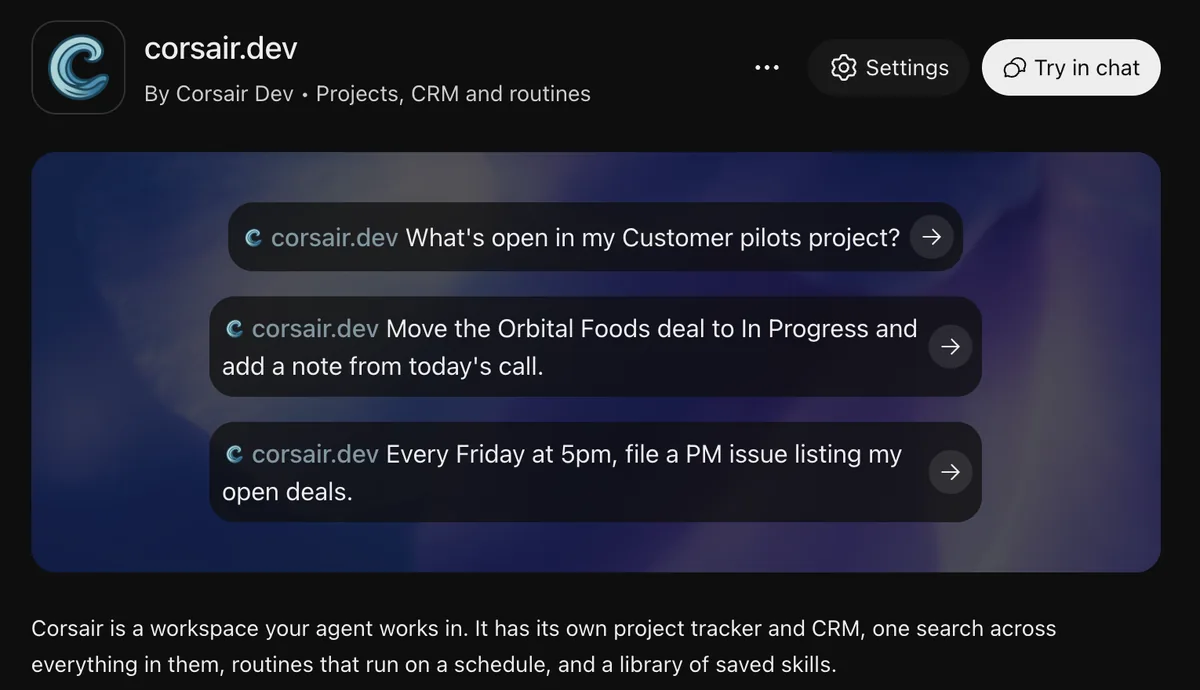
The corsair.dev plugin page in ChatGPT's plugin directory: By Corsair Dev, Projects, CRM and routines, with example prompts. (opens in a new tab)
corsair.dev in ChatGPT's plugin directory
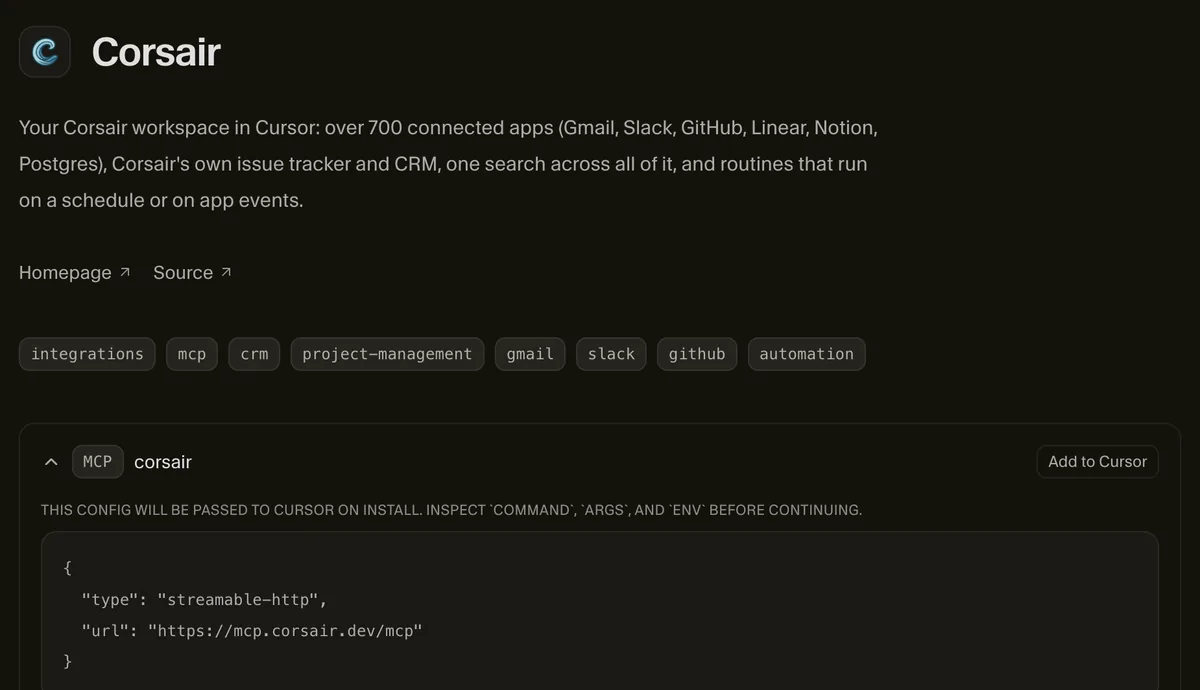
The Corsair plugin on cursor.directory, with Add to Cursor and the config it installs: https://mcp.corsair.dev/mcp. (opens in a new tab)
Corsair on cursor.directory

Corsair or a gateway you run yourself

Corsair

Hosted by Corsair. Claim a URL and connect apps that are already wired up; nothing to deploy. Made for people and small teams who use several agents.

Self-hosted gateways

Open-source gateways such as Microsoft's MCP Gateway (on Kubernetes) and Docker's MCP Gateway (in Docker Desktop or its CLI). You run them, bring your own MCP servers and credentials, and keep everything on your own machines.

Enterprise gateways

Platforms such as Kong, TrueFoundry and Traefik, for platform teams putting many internal MCP servers behind single sign-on, audit logs and company-wide policies.

Questions

What is an MCP gateway?

A single endpoint that sits between AI agents and the MCP servers or apps they use. The agent connects to the gateway, and the gateway handles sign-in, decides which tools the agent may use and routes each call to the right app.

Do I need an MCP gateway?

Not for one agent and one server. Once you use several MCP servers, or the same ones in more than one agent, a gateway saves you a config block per app in every client, keeps tokens out of those files and keeps the agent's tool list short.

What is the difference between an MCP gateway and an MCP server?

An MCP server exposes the tools of one app or system. A gateway sits in front of many of them and adds one address, one place to sign in, access rules and routing.

Is an MCP gateway the same as an API gateway?

No. An API gateway fronts REST APIs for apps and services. An MCP gateway speaks the Model Context Protocol to agents and decides which tools each agent sees and what it may do with them.

Is Corsair's MCP gateway self-hosted?

No, Corsair hosts it. It runs on the Corsair SDK, which is open source under Apache 2.0, if you need to run the same thing in your own infrastructure.

Should I use Corsair or run my own MCP gateway?

Run your own, such as Microsoft's or Docker's open-source gateway, if your MCP servers and credentials have to stay on machines you control, or you mostly connect internal servers. You then run the gateway, the MCP servers behind it and the credentials yourself. Use Corsair if you want the apps already wired up, nothing to deploy and the same URL in every agent. Corsair runs it, keeps each token encrypted with a key per connected account in AWS Key Management Service, and checks every action against the path's mode. The middle ground is running the open-source Corsair SDK, which the gateway is built on, in your own infrastructure.

How many tools does my agent see through Corsair?

At most 19, such as search, list_operations and run_script, however many apps you connect. The agent asks for an app's operations when it needs them, so connected apps don't fill its context window.

How do I add my MCP URL to Claude?

In Claude, open Customize, then Connectors, then Add custom connector. Name it Corsair, paste your URL, such as https://yourname.lug.dev/work, and leave the advanced OAuth fields empty. Claude sends you to Corsair to sign in and allow that one path; there is no API key to paste. Cursor, ChatGPT, Codex and the rest take the same URL in their own MCP settings, and ChatGPT and Cursor can also install Corsair from their directories.

Is it safe to connect my Gmail and Slack to Corsair?

Corsair encrypts every token and synced record with a key per connected account, and the keys that unlock them are held in AWS Key Management Service. Agents never see a token, and each path's mode decides which actions need your approval. The details are on corsair.dev/security.

What does it cost?

It's free for 10 connected accounts and 100 credits a month. Pro is $20 a month for 30 connections and 10,000 credits a month. Apps that run on Corsair's own account, such as Exa and Firecrawl, cost credits per call, and $5 buys 1,000 more. The plans are on corsair.dev/pricing.

One URL for every app and every agent.